

CRM integration
You can push conversion and event data from Integr8 to any CRM or external system that accepts inbound HTTP requests. Integr8 sends the data as a standard postback, the same mechanism used for affiliate postbacks, so there is nothing new to configure on the Integr8 side.
Before you begin
Section titled “Before you begin”- Get the CRM endpoint URL and the parameter or field names it expects.
- Get any required authentication: API key, bearer token, or basic auth header.
- Decide whether you want all conversions pushed, or only a specific offer.
How it works
Section titled “How it works”- Set up a postback in Integr8 that points to your CRM’s webhook or API endpoint.
- Map Integr8 data fields (offer ID, transaction ID, payout, etc.) to the parameters your CRM expects.
- Integr8 fires the postback on each conversion or event, pushing the data in real time.
Set up CRM data push
Section titled “Set up CRM data push”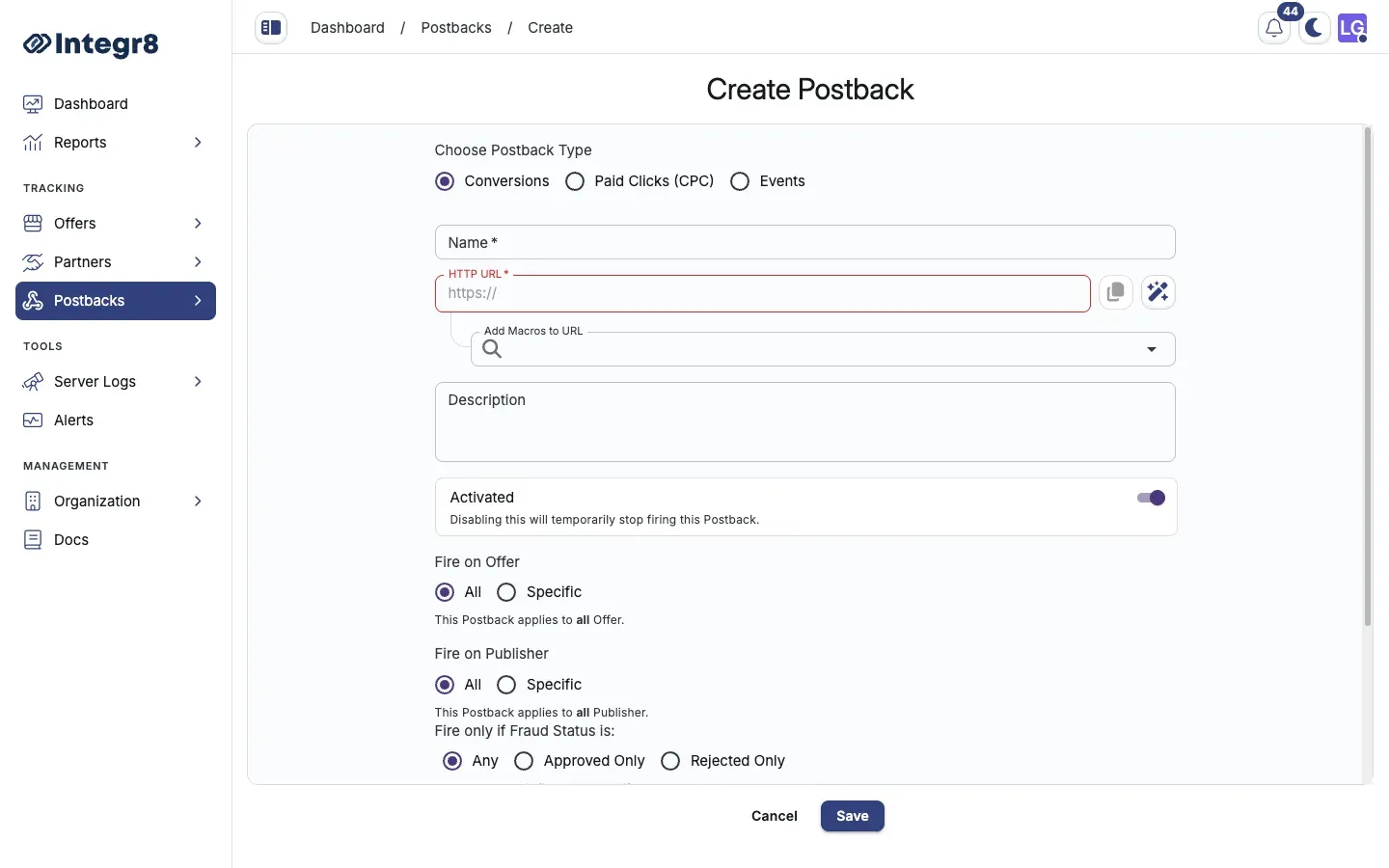
- Go to Postbacks > Postbacks Management and click Create.
- Pick Conversion (or Event for post-conversion actions) as the postback type.
- Enter a name, for example
CRM Salesforce Leads. - Set scope to Any to push all conversions, or pick a specific offer.
- Enter your CRM’s API endpoint as the Postback URL. For GET requests:
https://crm.yourdomain.com/api/conversions?lead_id={transaction_id}&offer={offer_id}&revenue={revenue}
- For POST requests, click Advanced HTTP Settings:
- Set the HTTP method to
POST. - Add required headers, for example
Authorization: Bearer YOUR_TOKEN. - Define the request body with the fields your CRM expects.
- Set the HTTP method to
- Click Save.
Test the integration
Section titled “Test the integration”After saving, trigger a test conversion using the Test link type from the tracking link generator. Check your CRM to confirm the data arrived. If it does not, review the postback logs for error details.
Available data fields
Section titled “Available data fields”| Macro | Value |
|---|---|
{transaction_id} |
Unique conversion ID |
{offer_id} |
Offer identifier |
{publisher_id} |
Publisher identifier |
{sub_id} |
Sub-publisher ID |
{revenue} |
Advertiser revenue |
{payout} |
Publisher payout |
{currency} |
Currency code |
{status} |
approved or rejected |
{external_transaction_id} |
Publisher’s original click ID |
Next steps
Section titled “Next steps”- Set up post-conversion events if your CRM tracks post-conversion actions like LTV.
- Watch postback logs for delivery failures.