

Organization Billing
Billing configuration controls how Integr8 invoices your account and what payment method is charged on renewal.
Update invoice details
Section titled “Update invoice details”Invoice details appear on every invoice Integr8 generates for your account. Keep them accurate for accounting purposes.
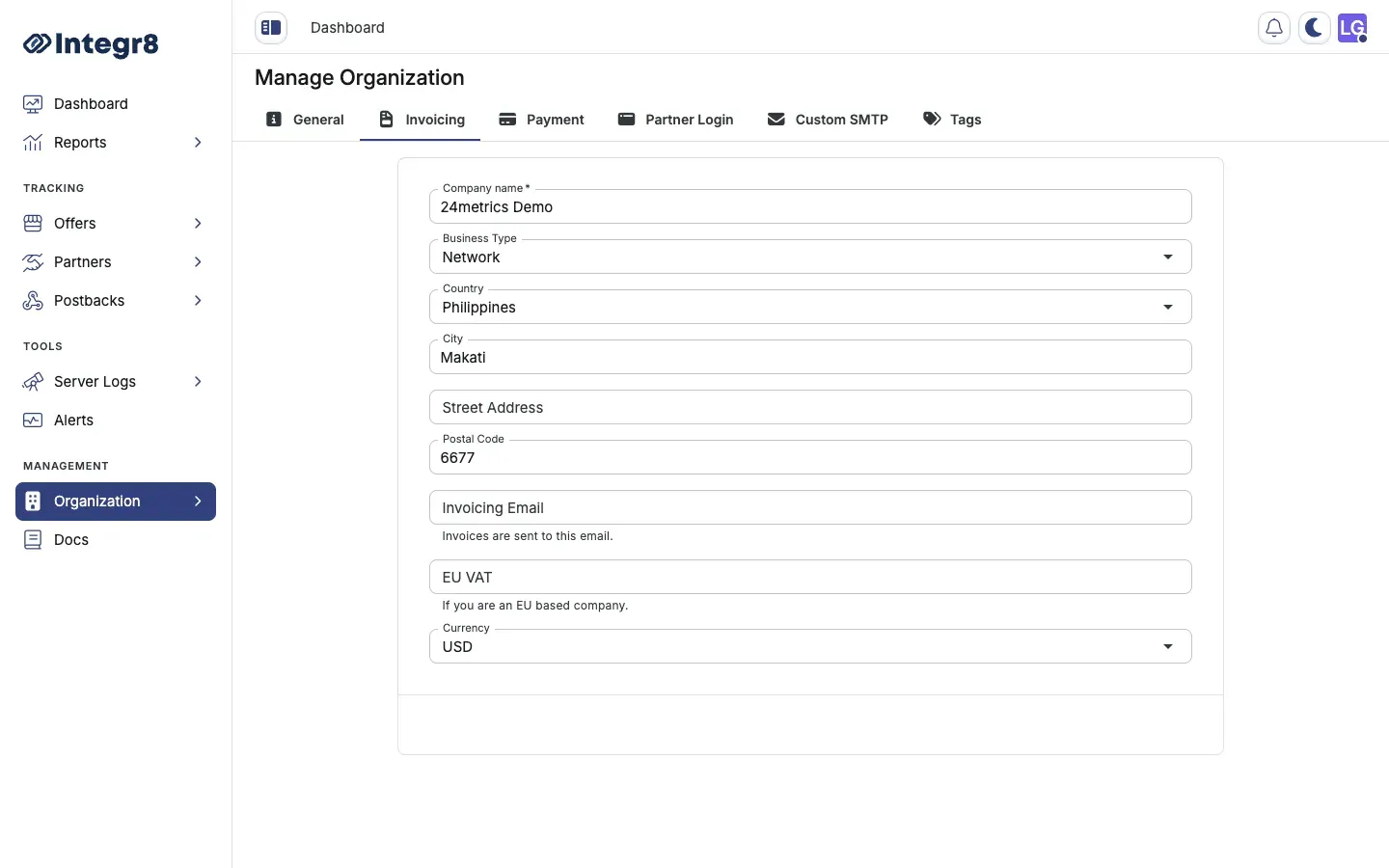
- Go to Organization > Settings.
- Select the Invoicing tab.
- Update the following fields as needed:
- Company name — the legal entity name on your invoices
- Business Type and Country / City / Street Address / Postal Code — your billing address
- Invoicing Email — where invoices are sent
- EU VAT — required for EU business accounts
- Currency — invoice currency for your account
- Click Save.
Update payment method
Section titled “Update payment method”Your subscription renews automatically against the saved card. To change it:
- Go to Organization > Settings.
- Select the Payment tab.
- Enter your new card details.
- Click Save.
Changing the card does not trigger an immediate charge. The new card is used on the next renewal date.
Partner login
Section titled “Partner login”The Partner Login section in Settings lets you create a white-label dashboard for publishers. See White-Label Dashboard for setup instructions.
Custom SMTP
Section titled “Custom SMTP”By default, Integr8 sends billing emails from its own mail server. To send from your own domain:
- Go to Organization > Settings.
- Select the Custom SMTP tab.
- Enter your SMTP host, port, username, and password.
- Click Save and send a test email to verify.