

Product feeds
Product feeds let advertisers share structured product data with publishers. Publishers can use the feed data to build affiliate storefronts, display product listings, or run targeted campaigns without scraping the advertiser’s website. Each feed is uploaded as a CSV and tied to a single offer.
Before you begin
Section titled “Before you begin”- Create the offer the feed will belong to.
- Prepare a CSV file with one product per row and consistent column headers.
Add a product feed
Section titled “Add a product feed”- Go to Partners > Product Feeds.
- Click Create.
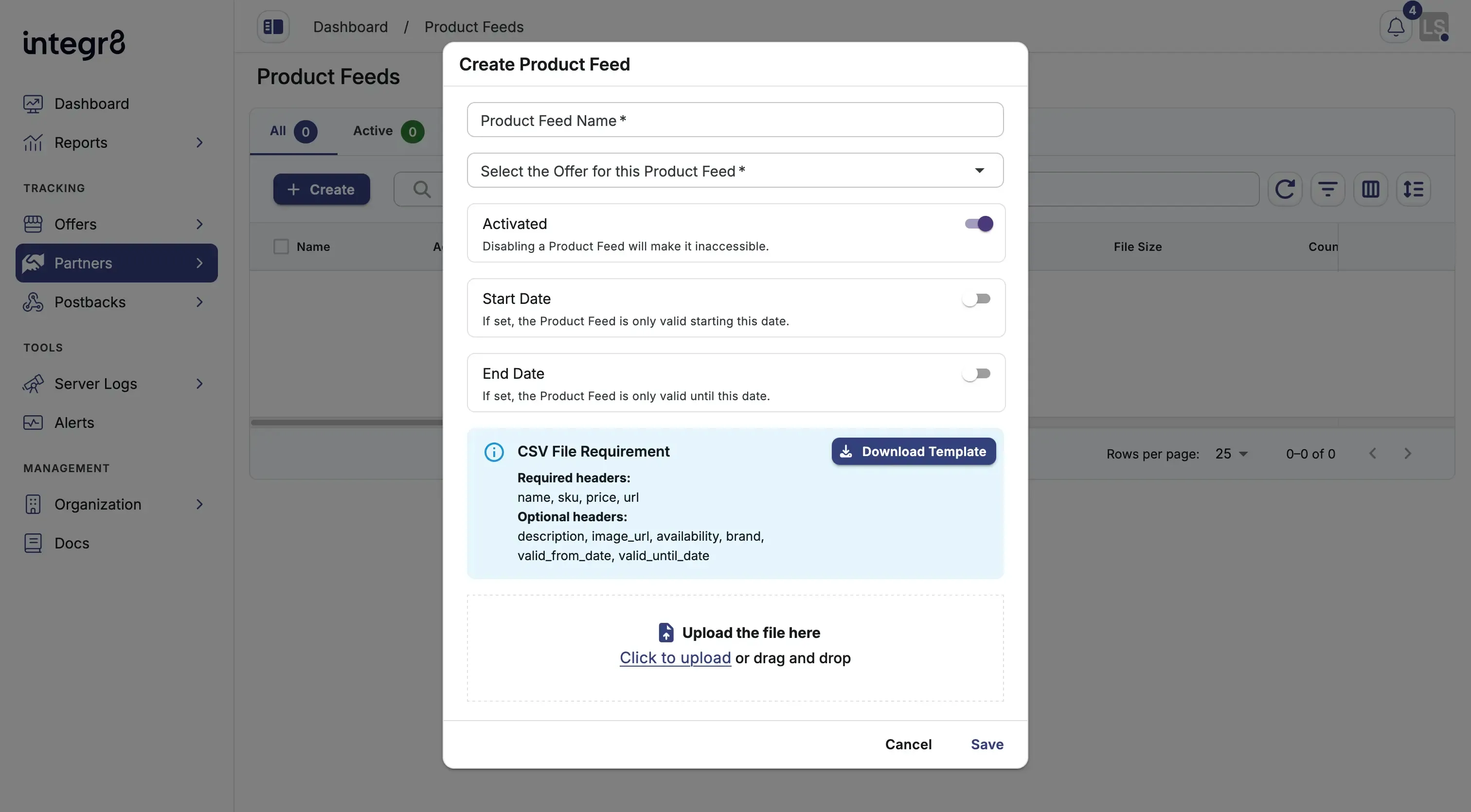
- Fill in the fields:
- Product Feed Name: a descriptive label for internal tracking.
- Offer: the offer this feed belongs to.
- Start Date and End Date: optional. The feed is inactive outside this window.
- Upload the CSV file with the product data.
- Click Save.
The CSV is stored in cloud storage and linked to the offer. Only publishers approved to run traffic on the offer can access the feed.
Publisher access via API
Section titled “Publisher access via API”Approved publishers can retrieve feed data programmatically in three formats. Replace {offer_id} and {feed_id} with the actual IDs from your Integr8 account.
JSON:
curl -X GET 'https://api.app.integr8.co/api/v2/offers/{offer_id}/product-feeds/{feed_id}/json' \ -H 'API-KEY: YOUR_API_KEY' \ -H 'Content-Type: application/json'XML:
curl -X GET 'https://api.app.integr8.co/api/v2/offers/{offer_id}/product-feeds/{feed_id}/xml' \ -H 'API-KEY: YOUR_API_KEY'CSV:
curl -X GET 'https://api.app.integr8.co/api/v2/offers/{offer_id}/product-feeds/{feed_id}/csv' \ -H 'API-KEY: YOUR_API_KEY'CSV format
Section titled “CSV format”The CSV should include one product per row with consistent column headers. There is no enforced schema; column names are flexible. Define a structure that fits your catalogue and document it for your publishers.
Recommended columns:
| Column | Description |
|---|---|
product_id |
Unique product identifier |
name |
Product name |
description |
Short description |
price |
Current price |
currency |
Price currency code |
url |
Product page URL |
image_url |
Product image URL |
category |
Product category |
Next steps
Section titled “Next steps”- Create the advertiser if it does not exist yet.
- Add publishers and grant access to the offer so they can pull the feed.